Jenkins Plugins
| Введение | |
| Stage View | |
| Robot | |
| Статьи про Jenkins |
Введение
Расширив функционал Jenkins плагинами можно получить гораздо более приятное и информативное оформление отчётов и много других полезных функций.
Stage View
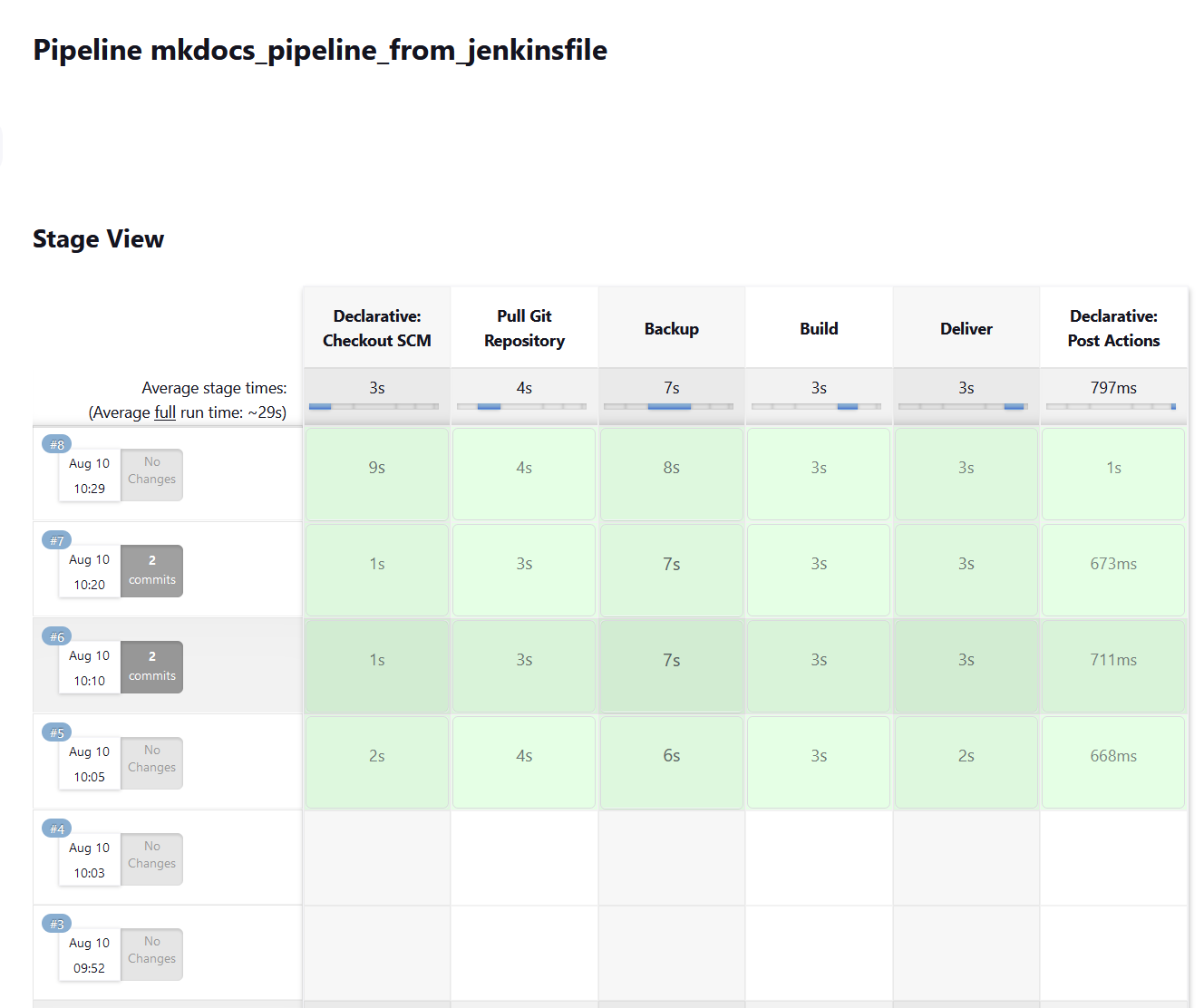
Для визуализации результатов работы всех стадий пайплайна обычно используется Pipeline Stage View плагин
www.eth1.ru
Robot Framework
Без плагина для Robot Framework отчёты о тестах будут видны в выводе консоли примерно так:
[Pipeline] sh + robot ./src/tests/ui ============================================================================== Ui ============================================================================== Ui.Ui Test Page :: Example that opens single page ============================================================================== Starting a browser with a page | PASS | ------------------------------------------------------------------------------ Fill Field | FAIL | Title 'TopBicycle.ru' (str) should be 'TopBicycle' (str) ------------------------------------------------------------------------------ Renovation | PASS | ------------------------------------------------------------------------------ Italy | PASS | ------------------------------------------------------------------------------ Img | FAIL | Title '�������������������� ������ ���������� �� �������������������� ���� ������������' (str) should be '�������������������� ������ ���������� �� �������������������� ���� ������������ �� ��������������������������' (str) ------------------------------------------------------------------------------ Radio Buttons | PASS | ------------------------------------------------------------------------------ Checkboxes | PASS | ------------------------------------------------------------------------------ Dropdown | PASS | ------------------------------------------------------------------------------ Table | PASS | ------------------------------------------------------------------------------ Nested Table | PASS | ------------------------------------------------------------------------------ Upload File | FAIL | ValueError: Nonexistent input file path '/opt/workspace/robot_pipeline/heihei_logo.jpg' ------------------------------------------------------------------------------ Ui.Ui Test Page :: Example that opens single page | FAIL | 11 tests, 8 passed, 3 failed ============================================================================== Ui | FAIL | 11 tests, 8 passed, 3 failed ============================================================================== Output: /opt/workspace/robot_pipeline/output.xml Log: /opt/workspace/robot_pipeline/log.html Report: /opt/workspace/robot_pipeline/report.html [Pipeline] } [Pipeline] // script [Pipeline] } [Pipeline] // stage [Pipeline] } [Pipeline] // node [Pipeline] End of Pipeline ERROR: script returned exit code 3 Finished: FAILURE
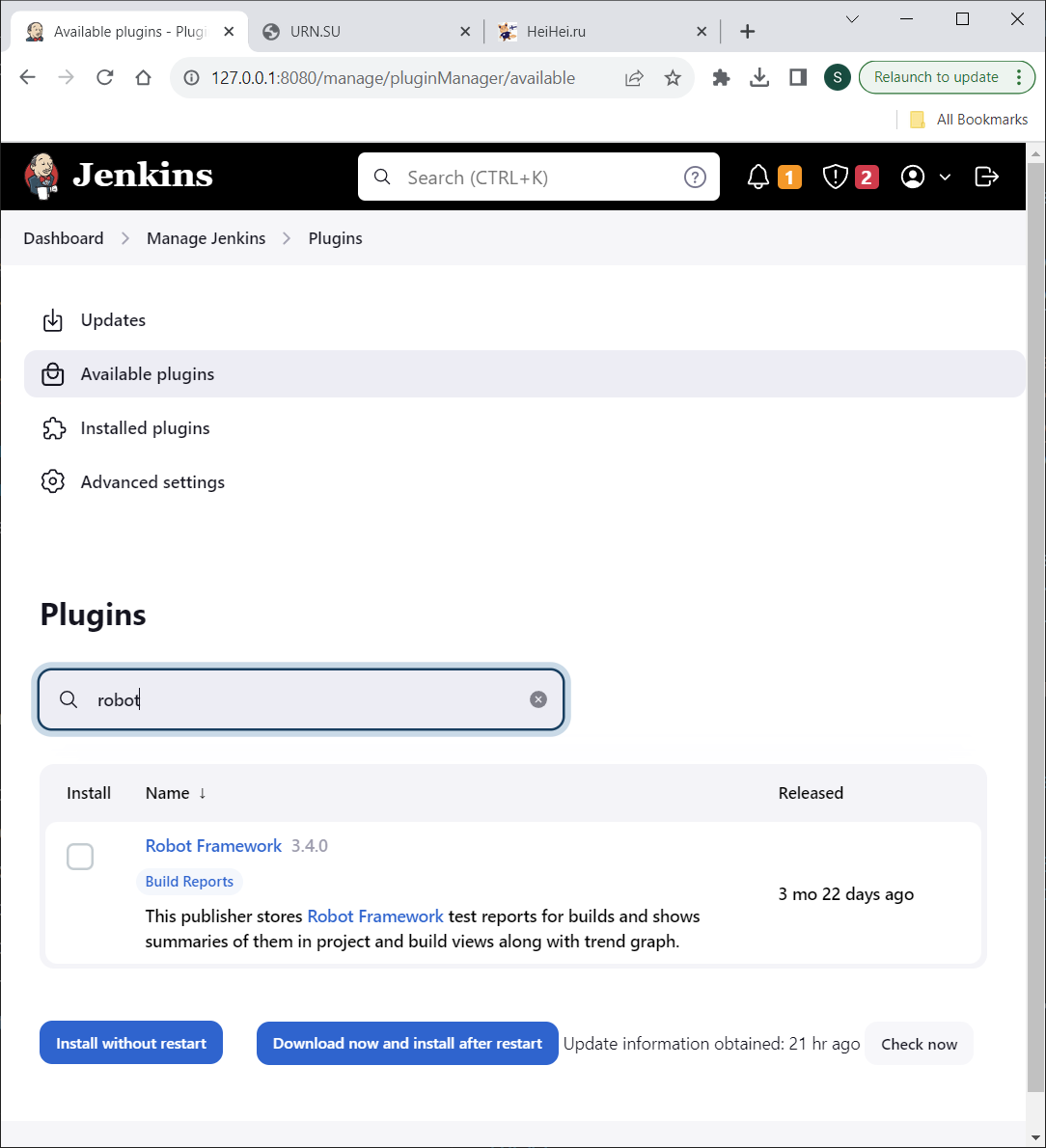
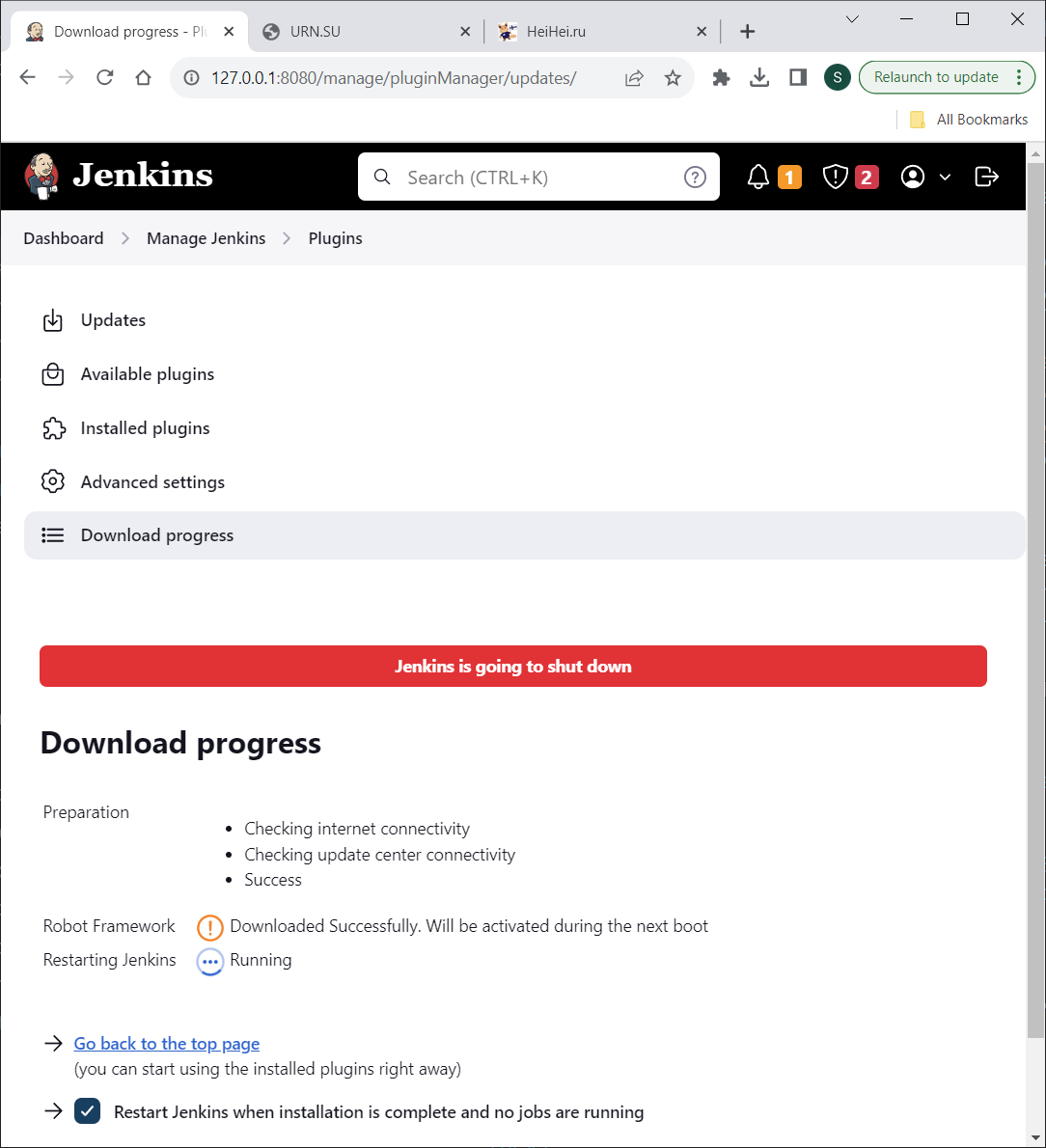
Гораздо более удобным будет изучение тех же данных с помощью плагина для Robot Framework, который предоставит статистику, и удобную навигацию по файлам.
www.eth1.ru
www.eth1.ru
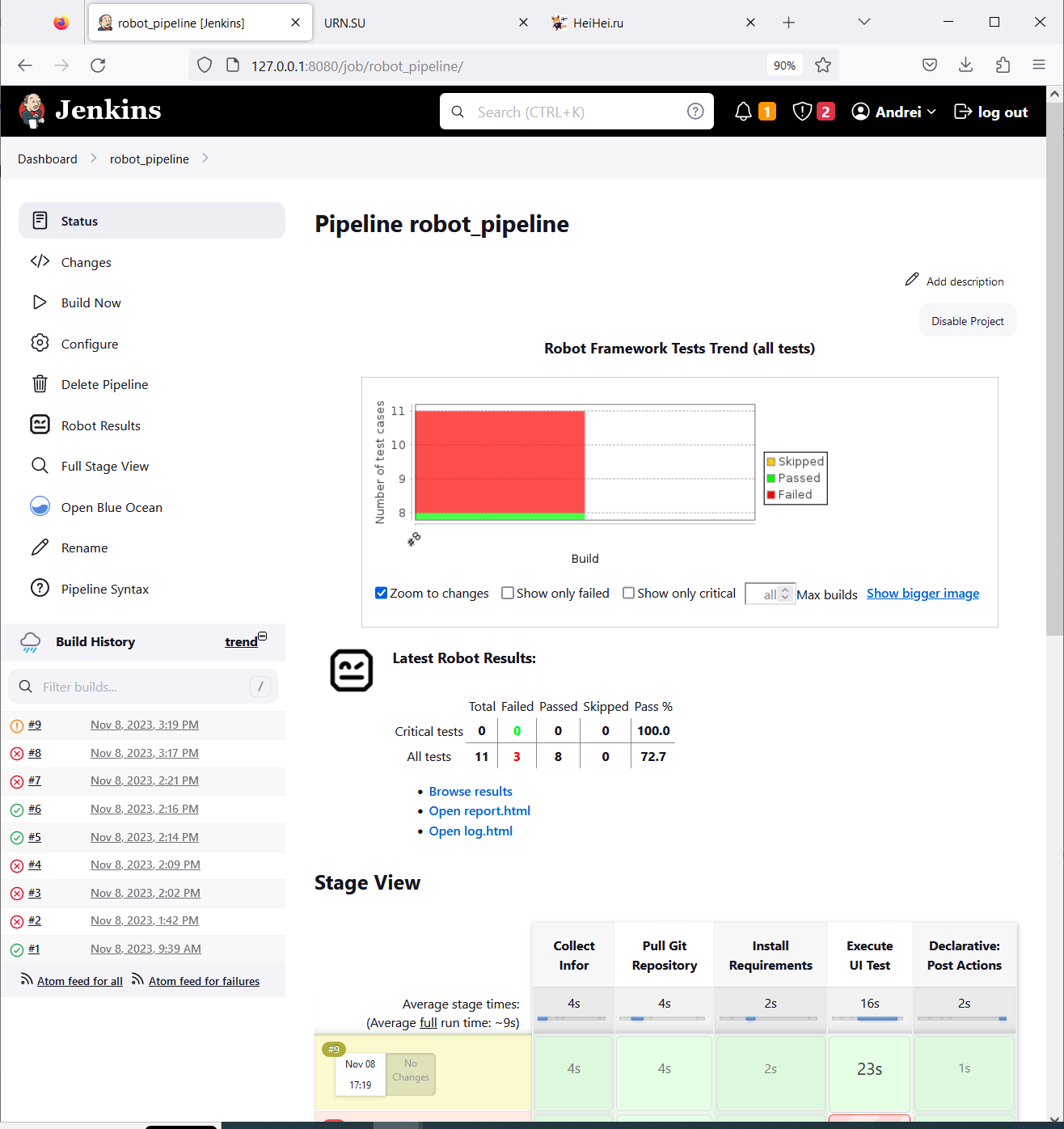
После установки плагинов Robot Framework и Stage View отчёт с результатами тестов выглядит примерно следующим образом:
www.eth1.ru
Latest Robot Results и Robot Framework Test Trends (all tests) - это результат работы плагина Robot Framework
Для просмотра report.html и log.html нужны дополнительные настройки . Browse results можно открыть сразу.
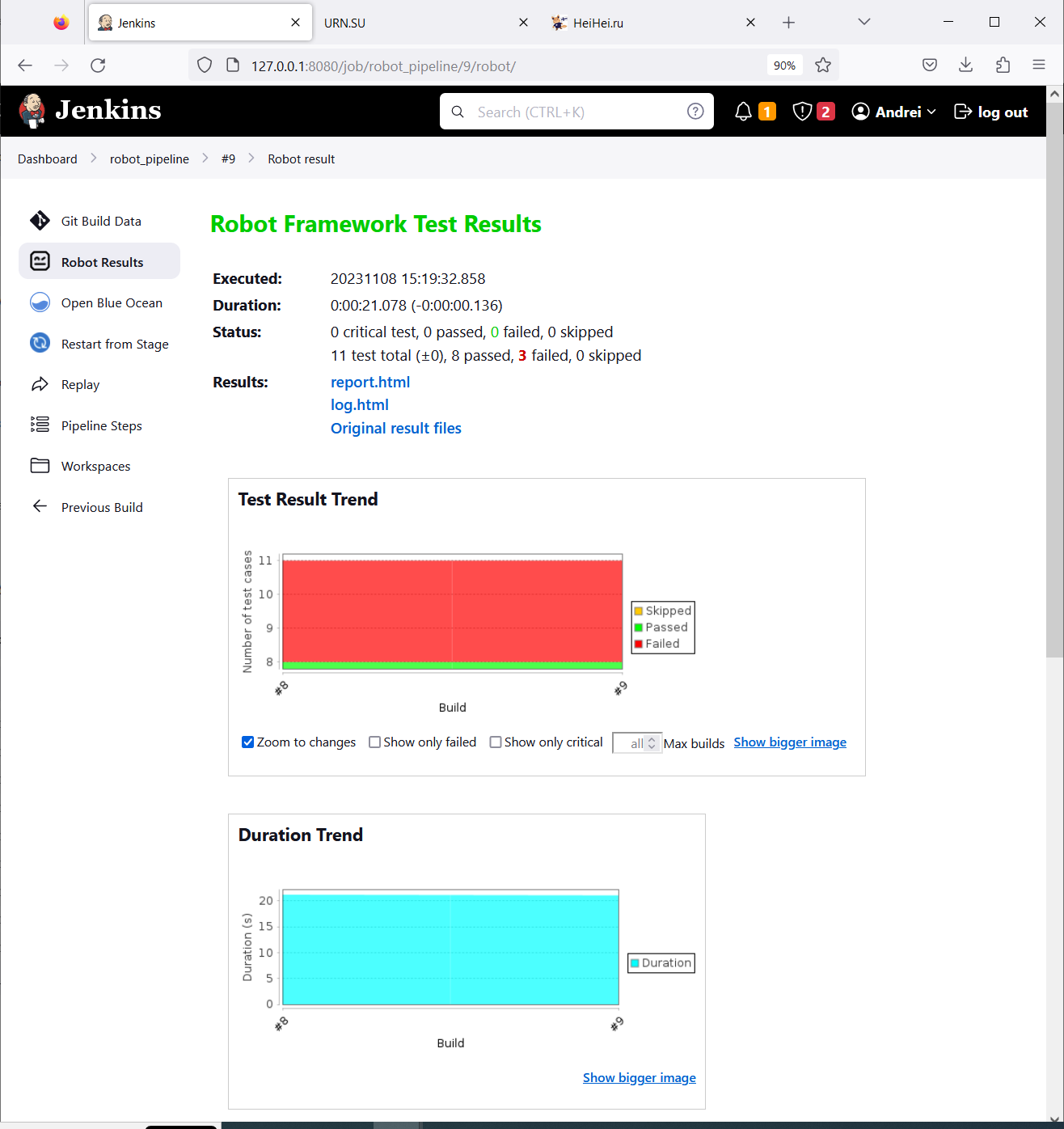
www.eth1.ru
На главной странице (Dashboard) плагин показывает статистику Robot Results + Duration Trend
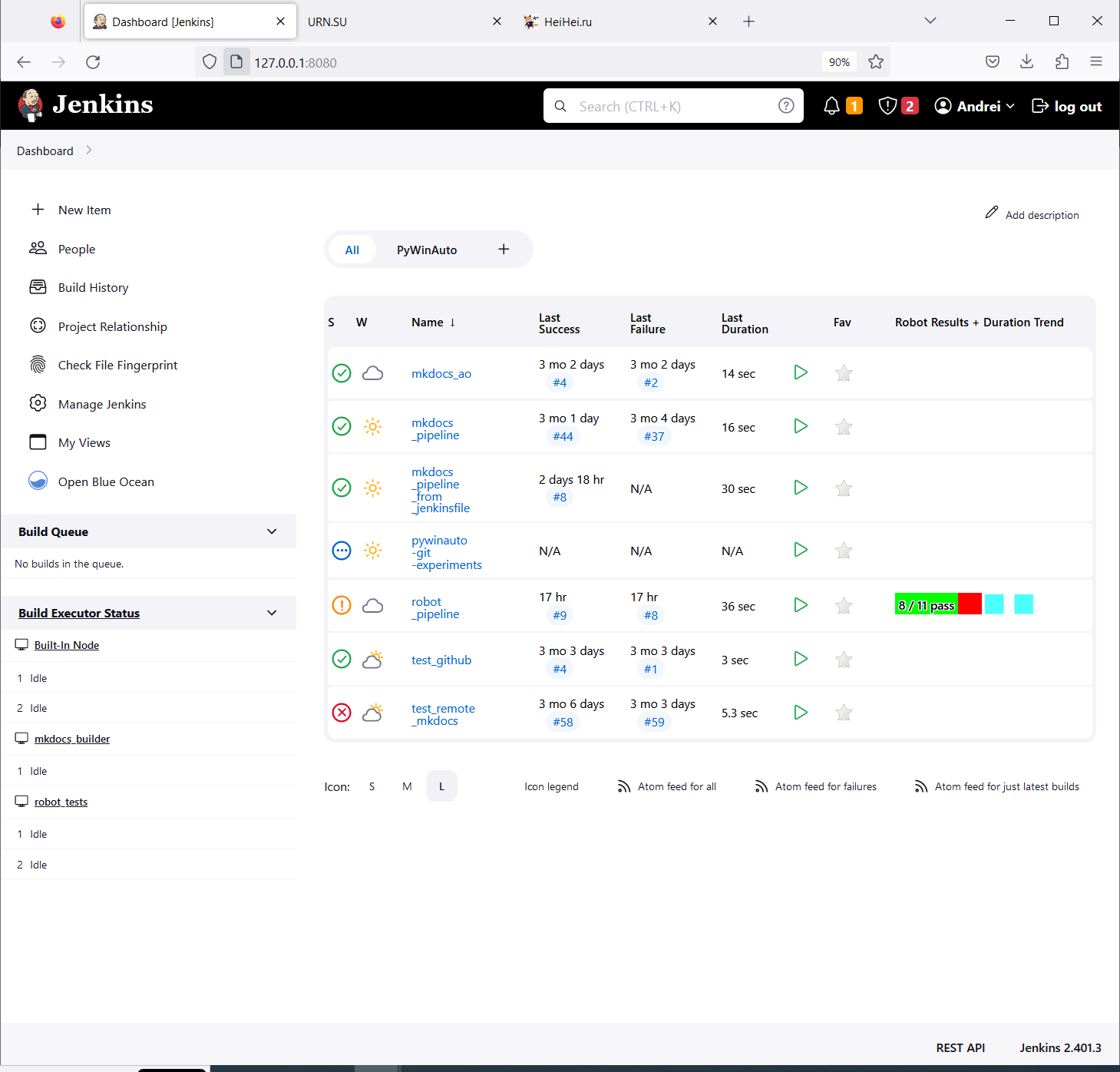
www.eth1.ru
Просмотр логов и отчётов Robot Framework
После установки плагина Robot Framework файлы report.html и log.html могут не открываться в Jenkins с похожей ошибкой
Opening Robot Framework log failed • Verify that you have JavaScript enabled in your browser. • Make sure you are using a modern enough browser. Firefox 3.5, IE 8, or equivalent is required, newer browsers are recommended. • Check are there messages in your browser's JavaScript error log. Please report the problem if you suspect you have encountered a bug.
Это связано с довольно жёсткой политикой безопастности выставленной по умолчанию. Подробнее
здесь
и
здесь
Решить её можно добавив скрипт (будет работать до следующей перезагрузки Jenkins)
System.setProperty("hudson.model.DirectoryBrowserSupport.CSP","sandbox allow-scripts; default-src 'none'; img-src 'self' data: ; style-src 'self' 'unsafe-inline' data: ; script-src 'self' 'unsafe-inline' 'unsafe-eval' ;")
В поле ввода
Manage Jenkins → Script Console
Затем нужно нажать кнопку Run
После этой манипуляции отчёты доступны в привычном виде:
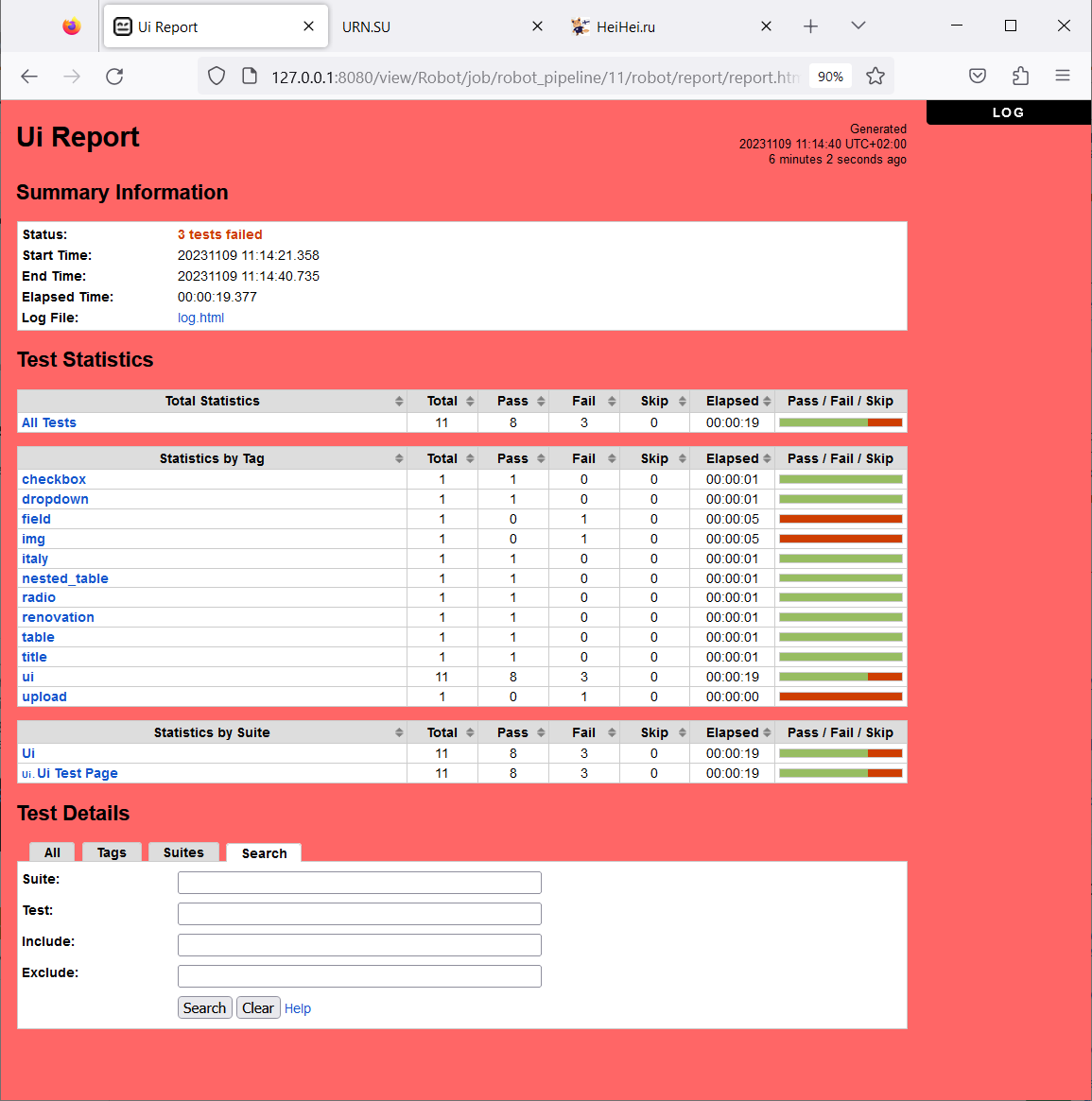
www.eth1.ru
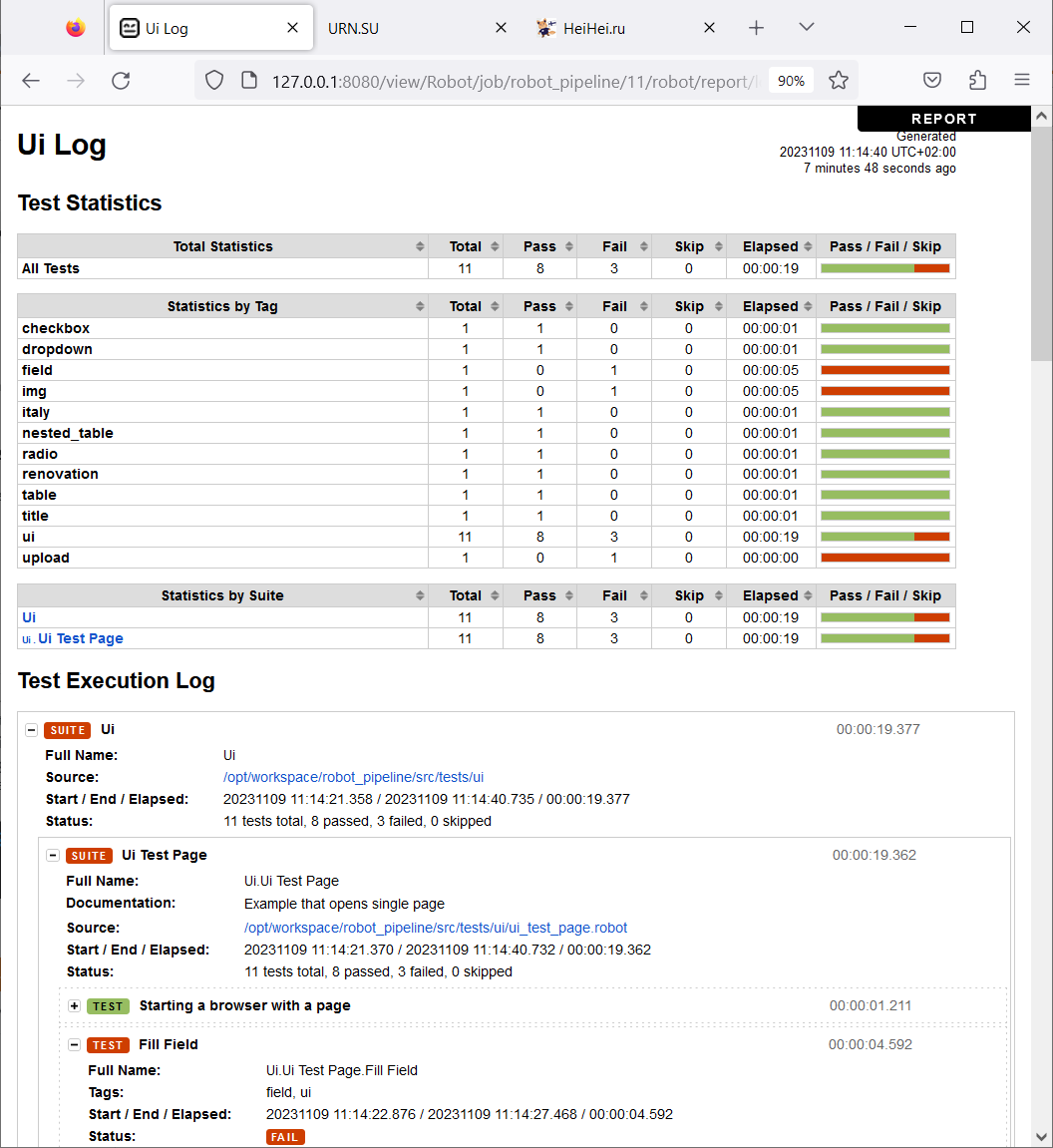
www.eth1.ru
Чтобы отчёты были читаемы и после перезагрузки нужно добавить те же значения, что были в скрипте в конфигурацию Jenkins
В данном примере я использовал
docker compose
поэтому мне нужно отредактировать
docker-compose.yml
Зелёным выделено добавление переменной окружения JAVA_OPT
jenkins: # image specified in Dockerfile # image: jenkins/jenkins:lts restart: always privileged: true user: root build: context: ./dockerfiles dockerfile: Dockerfile.jenkins args: buildversion: 1 SSH_PRIVATE_KEY: "" ports: - "8080:8080" - "50000:50000" environment: JAVA_OPTS: -Dhudson.model.DirectoryBrowserSupport.CSP="sandbox allow-same-origin allow-scripts; default-src 'self'; script-src 'self' 'unsafe-inline' 'unsafe-eval'; img-src 'self' data:; style-src 'self' 'unsafe-inline' data:; font-src 'self'" container_name: jenkins networks: net3: ipv4_address: 10.5.0.6 jenkins: ipv4_address: 10.7.0.6 extra_hosts: - "nginx.andrei.com:10.7.0.8" - "mkdocs.andrei.com:10.7.0.10" - "robot.andrei.com:10.7.0.12" volumes: - ./var/jenkins_home:/var/jenkins_home - /var/run/docker.sock:/var/run/docker.sock
Пример Pipeline
pipeline { agent {label 'robot'} stages { stage("Collect Info") { steps { script { sh 'pwd' sh 'ls -la' sh 'whoami' } dir("/opt/tests") { sh 'pwd' sh 'ls -la' } } } stage("Pull Git Repository") { steps { git( url: "https://github.com/AndreiOlegovich/robot_web_ui_test.git", branch: "main", changelog: true, poll: true ) } } stage("Install Requirements") { steps { script { sh 'python -m pip install -r ./requirements.txt' } } } stage("Execute UI Test") { steps { sh script: "robot --nostatusr ./src/tests/ui", returnStatus: true } } } post { always { // `onlyCritical: false` is for RF 3.x compatibility. This will be deprecated // and removed in the future. robot outputPath: '.', passThreshold: 80.0, unstableThreshold: 70.0, onlyCritical: false } } }
Автор статьи: Андрей Олегович
| Jenkins | |
| Установка Jenkins | |
| Основы Jenkins | |
| Агенты | |
| Jenkins Freestyle project | |
| Jenkins Pipeline | |
| Credentials | |
| Задания по расписанию | |
| Плагины | |
| Разбор ошибок | |
| DevOps | |
| Docker |
РЕКЛАМА от Яндекса. Может быть недоступна в вашем регионе
Конец рекламы. Если там пусто считайте это рекламой моей телеги